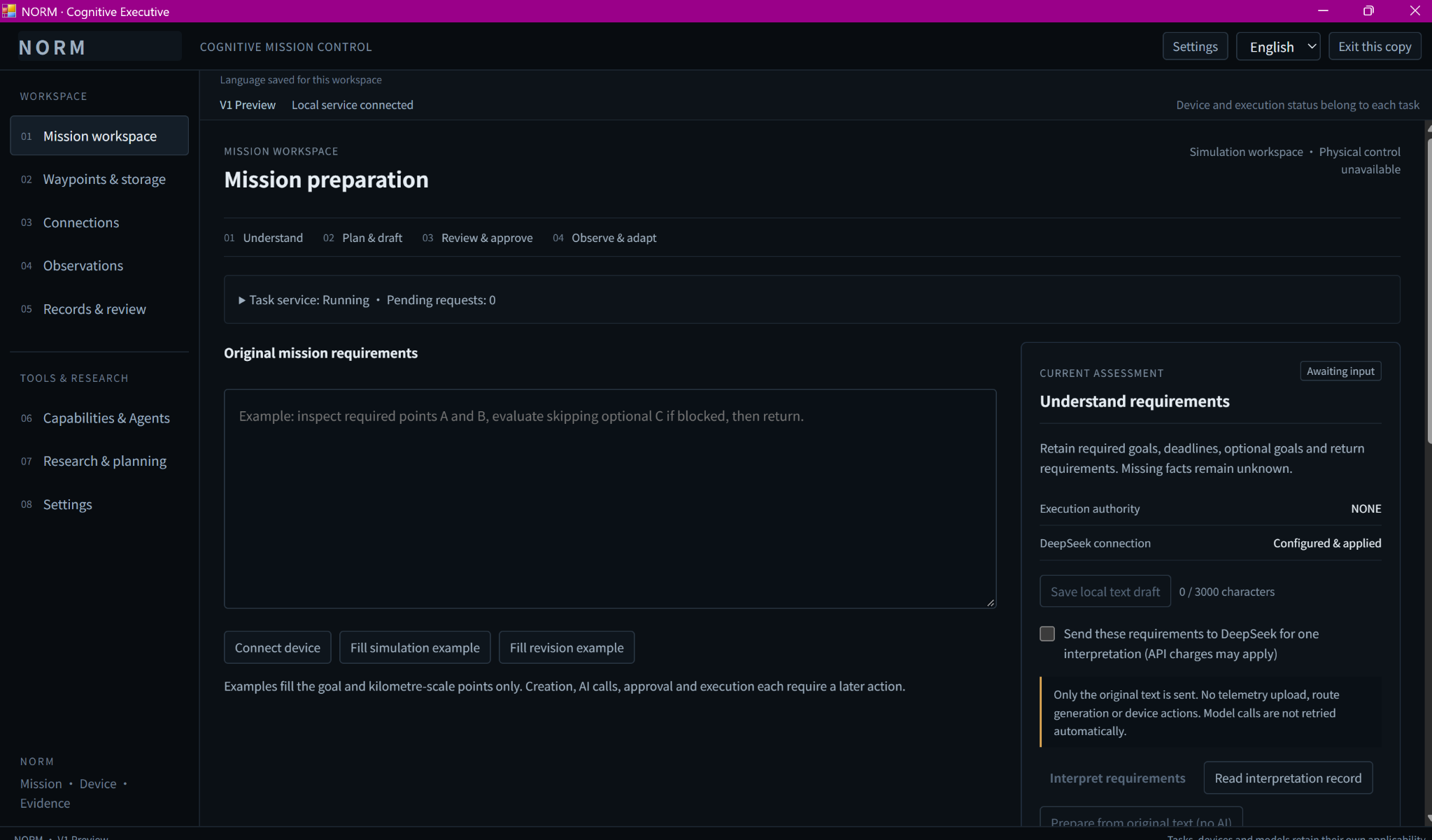
Keep the original request.
Review proposals against the requirements that prompted them.
Bring the requirements, AI-assisted planning, waypoint edits,
and operator review into the same workflow.
Designed for review. Still undergoing hardware validation.
Packaged preview
Waypoint mission focus
Interpretation and proposals
Device actions need a decision
Review proposals against the requirements that prompted them.
Edit the plan before deciding whether it is ready to proceed.
A proposal, approval, and device result are separate records.
Work with mission drafts and waypoint edits before any device action.
Keep the requirements close to the proposed plan.
Examine the route and make edits before approval.
Saving a draft does not start a device.
One thing matters to us: the original requirements must not get lost along the way. AI helps organize, interpret, and suggest. People still check conditions on the ground and approve actions involving a device.
Bring the mission requirements into the workspace so the proposed plan can be reviewed against the original request.
AI helps interpret the request and propose a mission plan. The proposal remains a draft for the operator to examine.
Review and edit the proposed waypoints before deciding whether the plan is ready for approval.
Actions involving a vehicle require human approval. Approval is separate from the AI’s suggestion and from verification of the device result.
Keep device mission records alongside the planning workflow. Full real-device transfer, verification, and limited control are still undergoing acceptance testing.
One thing matters to us: the original requirements must not get lost along the way. AI helps organize, interpret, and suggest. People still check conditions on the ground and approve actions involving a device.
Bring the mission requirements into the workspace so the proposed plan can be reviewed against the original request.
AI helps interpret the request and propose a mission plan. The proposal remains a draft for the operator to examine.
Review and edit the proposed waypoints before deciding whether the plan is ready for approval.
Actions involving a vehicle require human approval. Approval is separate from the AI’s suggestion and from verification of the device result.
Keep device mission records alongside the planning workflow. Full real-device transfer, verification, and limited control are still undergoing acceptance testing.
Use the workspace to review observation views and mission records.
The application capture shows the observation interface and its map.
The visible status distinguishes the local service from a connected vehicle.
A map view does not prove mission transfer or a completed flight.
Available as a Windows technical preview for product discussions and engineering evaluation.
Try organizing requirements, drafting waypoints, working with maps, and reviewing plans. Uploads to real flight controllers and the control loop are still being validated. The preview is not intended for real flights, unattended operation, or production use.
Current development statusOpen a screenshot to inspect the original capture and its visible state.
Available as a Windows technical preview for product discussions and engineering evaluation.
Try organizing requirements, drafting waypoints, working with maps, and reviewing plans. Uploads to real flight controllers and the control loop are still being validated. The preview is not intended for real flights, unattended operation, or production use.
Bring a mission, and see if the next round of preparation can be a little clearer.
hello@normautonomy.com